Overview
The ProductPlan hierarchy helps you create comprehensive, meaningful roadmaps with multiple levels of strategic organization. Let’s dive into the hierarchy from the top down.
Product Segmentation
Start with setting up your Product Segmentation structure. Product Segmentation gives every product its own dedicated workspace inside of ProductPlan. Your roadmaps, backlog, ideas, and surveys are nested within the Product Segmentation modal to ensure that content is scoped to a specific product.
For full details and setup instructions, please see Product Segmentation.
Roadmap
A roadmap is a specific strategic plan for a product , feature or initiative (potentially even a team, as well). It generally contains multiple lanes and represents the overall strategic direction for a particular area. Roadmaps can be time-based, such as quarterly or annual plans, or organized around specific themes and objectives. You can also combine views for multiple roadmaps across your products, with flexible grouping options.
You have options to display a roadmap in a Gantt-style timeline or Kanban-style board. Roadmaps are customizable and flexible in terms of the information you want to display and share with your audience.
Lane
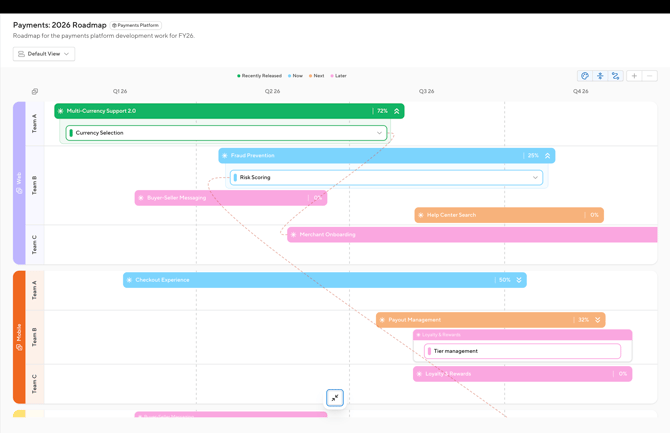
Lanes are horizontal sections within a roadmap that group related work streams. Lanes help organize and categorize different types of work, making it easier to understand the structure of a roadmap. Lanes can represent departments, strategic themes or sub-products. Lanes provide a clear visual separation of different types of work.
You’ll want to keep your lanes high level and concise. Lanes should also operate in conjunction with your legend, as they are two sides of the same coin in terms of visual impact and representation.
Depending on the creation path you've chosen will depend how you set up your lanes.
- Build from Existing: Your lanes come from your data (product, objective, custom dropdown fields).
- Build from Scratch: You create and name the lanes.
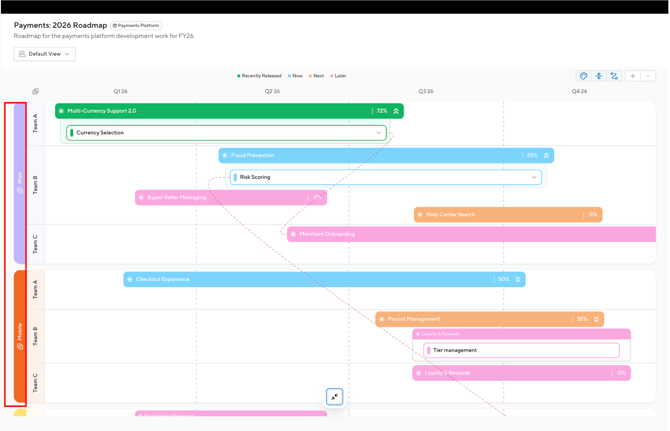
Lanes are highlighted in red.
Sub-lane
Sub-lanes are an optional secondary grouping option that sits between a lane and the roadmap items. A sub-lane groups the initiatives, epics, and stories that roll up to a primary lane.
Depending on the creation path you've chosen will depend how you set up your sub-lanes.
- Build from Existing: Your sub-lanes come from your data.
- Build from Scratch: You create and name the lanes.
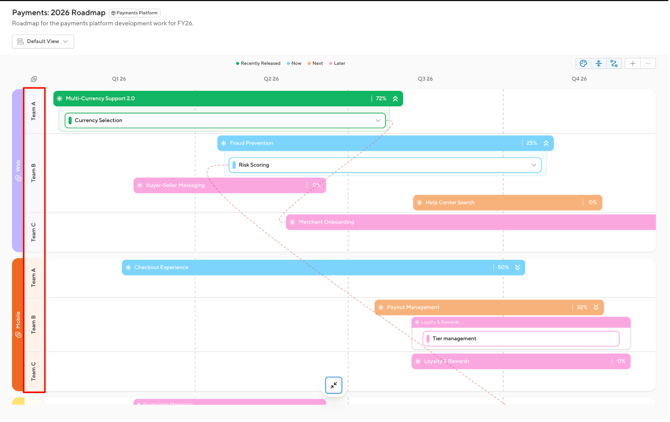
Sub-lanes are highlighted in red.
Initiative
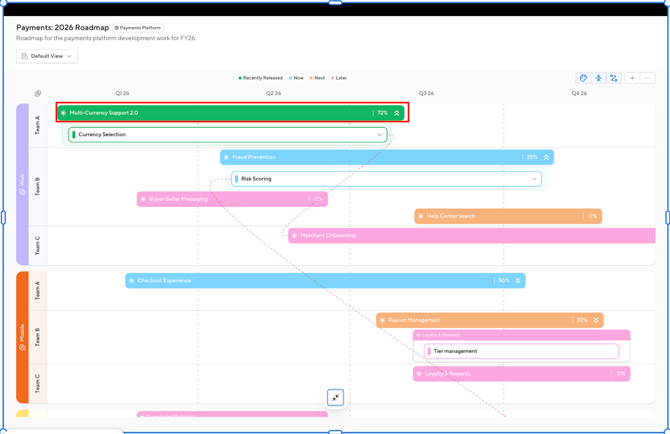
Initiatives are the first level of hierarchy on your roadmap and are the highest-level component. Initiatives connect delivery work to an idea and can contain one or more epics. They tend to represent long term work or are centered on a common them. You are able to expand your initiatives to see child epics and stories within it, or collapse it to hide the child items. Initiatives are indicated by the asterisk symbol.
An initiative is highlighted in red.
Epic
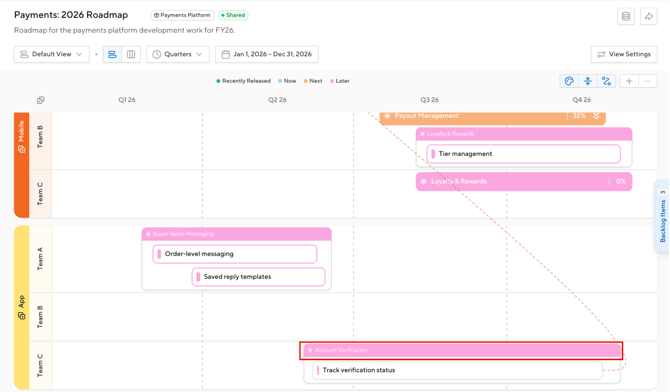
Epics are the second level of hierarchy on your roadmap. An epic may represent a larger body of related work, and may be made up of stories. Epics can sit inside an initiative when it serves as a larger idea-driven effort, or it can stand alone for work that doesn't roll up to an initiative. Epics are indicated by a lightning bolt symbol.
An epic is highlighted in red.
Story
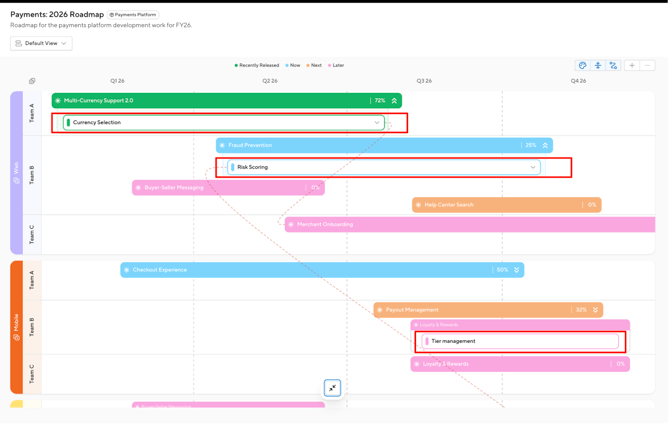
Stories are the third level of hierarchy on your roadmap and the most granular component of the roadmap. A story may represent specific work items within an epic. Stories can be added as standalone items on your roadmap, or they can live within an epic or initiative. Stories are indicated by the stacked bar symbol.
Stories are highlighted in red below.
Backlog
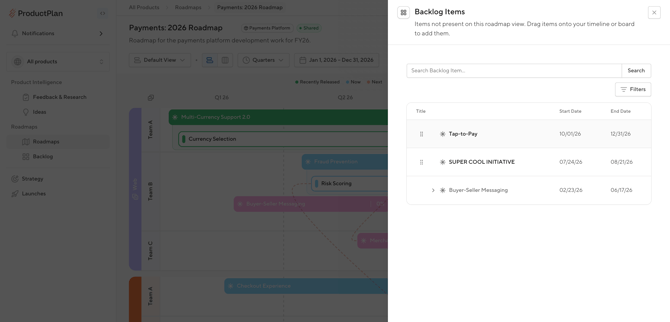
Your backlog drawer holds every initiative, epic and story for a product, so nothing gets duplicated across roadmaps. You can drag items directly from the backlog drawer onto your roadmap.